

It wasn’t my water purifier that got hacked first. It was my smart fridge. At 3:00 AM, the family calendar on its screen was wiped clean and replaced with a message in poor English demanding 0.5 Bitcoin. The ice maker began dumping cubes onto the floor. The internal lights strobed like a silent alarm. My smart home, a suite of interconnected conveniences, had become a hostage situation in my own kitchen.
It took a panicked, expensive call to a cybersecurity specialist to get my appliances back. But his final question sent a deeper chill down my spine than the ice on my floor: ”Do you have a connected water purifier on the same network?”
I did. And suddenly, my greatest fear shifted from dirty water to a different kind of poison: digital sabotage.
We secure our Wi-Fi, update our laptops, and are wary of phishing emails. But we blithely plug a device into our network that has direct, physical control over a life-sustaining resource—our water—with security often no more robust than a child’s toy. A hacked water purifier isn’t just a broken appliance; it’s a violation at the most intimate level.
The “Digital Fridge” Vulnerability: Your Purifier’s Attack Surface
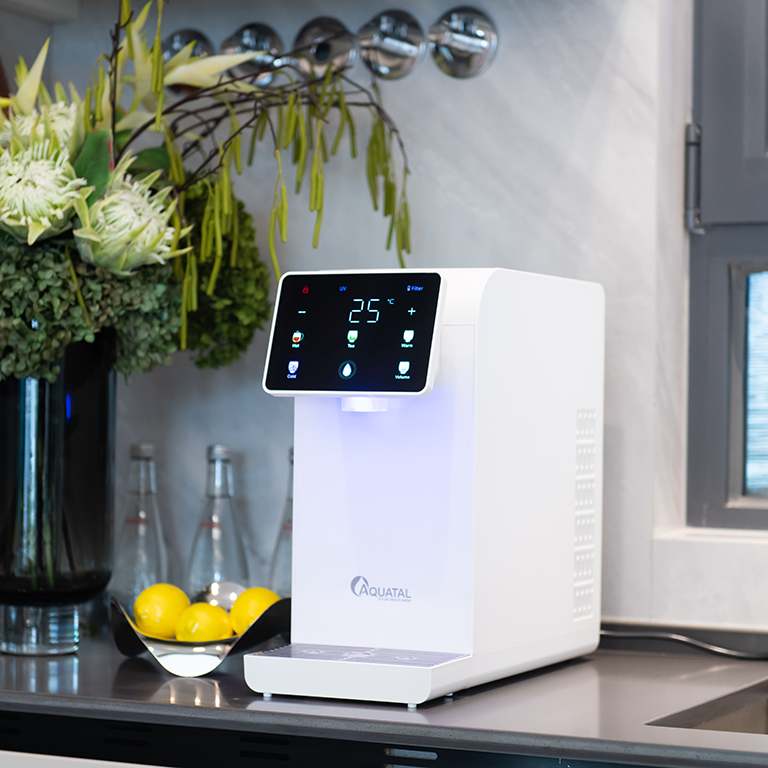
My cybersecurity expert drew the parallels on a whiteboard. Like my fridge, my high-end “smart” water purifier is a networked computer in a plastic shell. Its attack surface is broad:
- A Weak App/Cloud Portal: The login to control it or view its data is often protected by a simple password, sometimes even a default one.
- Outdated, Unpatchable Firmware: Most purifiers are “fire-and-forget.” The company may never issue a security update after the day it ships.
- A Permanent Data Stream: It’s constantly phoning home—sending usage data, filter status, and diagnostic info to a manufacturer’s server. This is a potential data leak of your household habits.
- Physical Control Valves: This is the scariest part. It has solenoids and valves that can turn water flow on and off, or initiate a system flush.
In the hands of a malicious actor, this isn’t a theoretical risk. It’s a blueprint for harm.
The Unthinkable Scenarios: From Nuisance to Nightmare
Let’s move past the abstract “data breach” to tangible, plausible attacks:
- The Ransomware Lockout: The most likely scenario. Your purifier’s interface is locked by ransomware. A message on its screen or your app demands payment to restore function. You can’t check filter status, run a cleaning cycle, or in extreme cases, the system may refuse to dispense water, holding your hydration hostage.
- The “Filter Fraud” Scam: A hacker gains access to the system’s reporting. They spoof an alert that every filter and the RO membrane are critically failed, urging immediate replacement with a link to a fake (or malicious) storefront selling overpriced, counterfeit parts. They exploit your trust in the device to scam you.
- The System Bricking Vandalism: A script or attacker sends a corrupt firmware command, permanently bricking the control board. The machine is a dead, leaking paperweight until you pay for a full motherboard replacement.
- The Physical Sabotage (The Worst-Case): An attacker with deeper access could, theoretically, cycle the system’s flush and purge valves erratically. This could cause water hammer—a pressure surge that can burst fittings and cause a flood inside your cabinets and walls. It’s not poisoning the water; it’s weaponizing the appliance to poison your home.
Your 7-Point Digital Water Security Protocol
After my fridge incident, I implemented this protocol for every connected appliance, especially my purifier. You should too.
- Isolate it on a Guest Network: Create a separate Wi-Fi network (most modern routers can do this) exclusively for your IoT devices. Your purifier, lights, and fridge live here. Your laptops, phones, and work devices stay on the main network. A breach on the guest network is contained.
- Nuke the Defaults: Change the default username and password for the purifier’s app and web portal to a strong, unique passphrase. Use a password manager.
- Audit App Permissions: In the purifier’s mobile app, deny ALL permissions it doesn’t absolutely need to function (Location, Contacts, etc.). It needs Wi-Fi. It does not need to know where you are.
- Disable Remote Access If Possible: Does the app let you control it from anywhere? If you only need it at home, see if there’s a “Local Network Only” mode.
- Check for a Physical “Wi-Fi Kill Switch”: Some models have a small button to disable Wi-Fi. If you don’t use smart features daily, turn the Wi-Fi off permanently. A dumb purifier is a safe purifier. Set manual calendar reminders for filter changes.
- Monitor Your Network: Use a simple network scanning tool (like Fing) to see what devices are connected to your home network. If you see something you don’t recognize, investigate.
- Ask the Hard Question Before Buying: When researching a “smart” purifier, email the company’s support. Ask: ”What is your vulnerability disclosure policy? How often do you release security patches for your connected devices?” A non-answer is your answer.
Post time: Feb-02-2026